
How to redeem your GrabOne Voucher.
Redeeming your GrabOne voucher quickly and easily;
1. Go to the website
2. Add correct product to cart
3. Open/view cart
4. Put in coupon code
5. Proceed to checkout
6. Enter in your name and details
7. Place order
For more detailed instructions see below:
As an example, we have used the Online New Zealand Will Kit – FAMILY PACK for four people. Once you have put your product into the cart, you will see details for that product.
If you coupon is for: The New Zealand Will Kit for two people, please click here.
If you coupon is for: The New Zealand Will Kit Family Pack for four people, please click here.
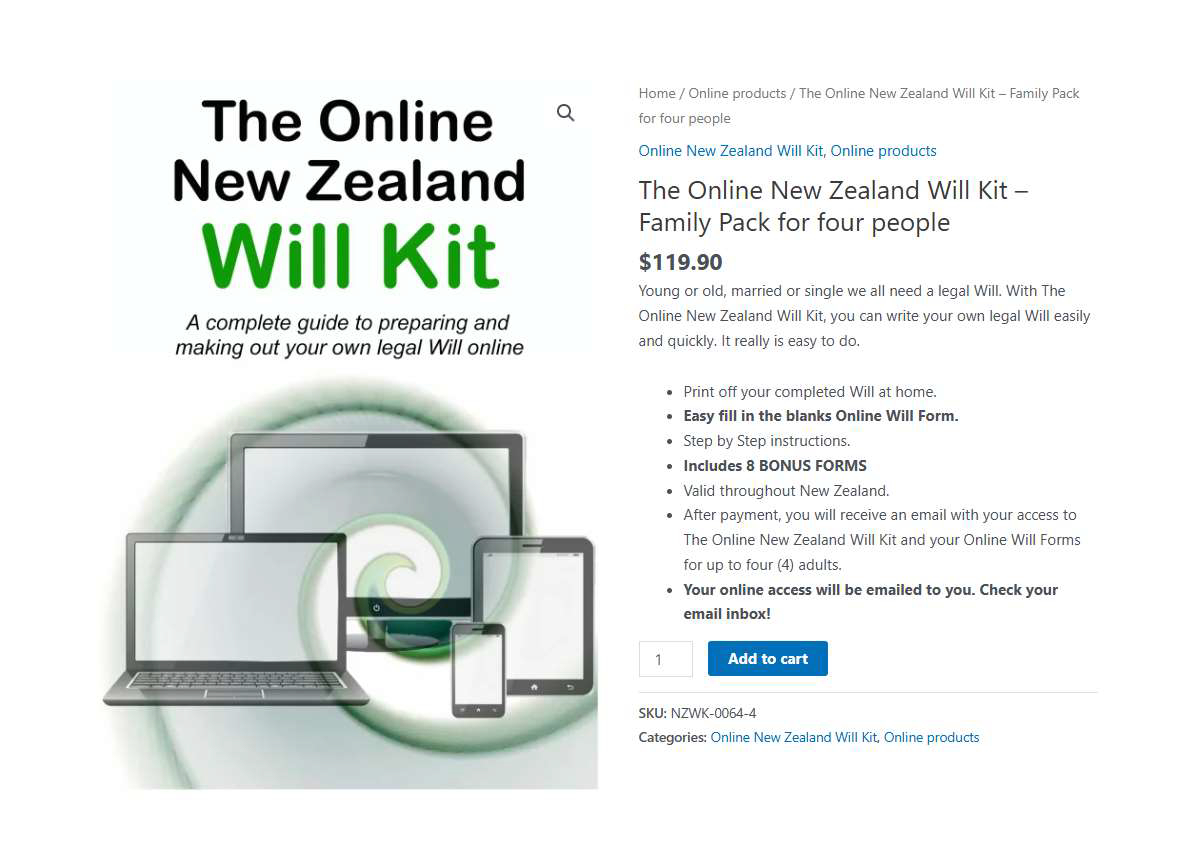
You will see your product page: (It will open in a new tab or window so you can still see these instructions)
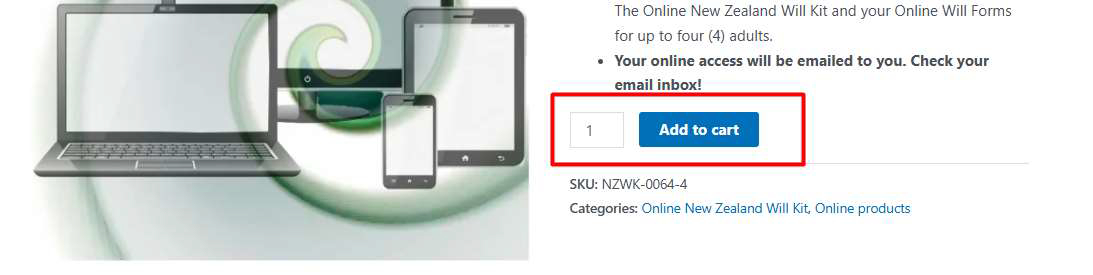
Click “Add to cart”
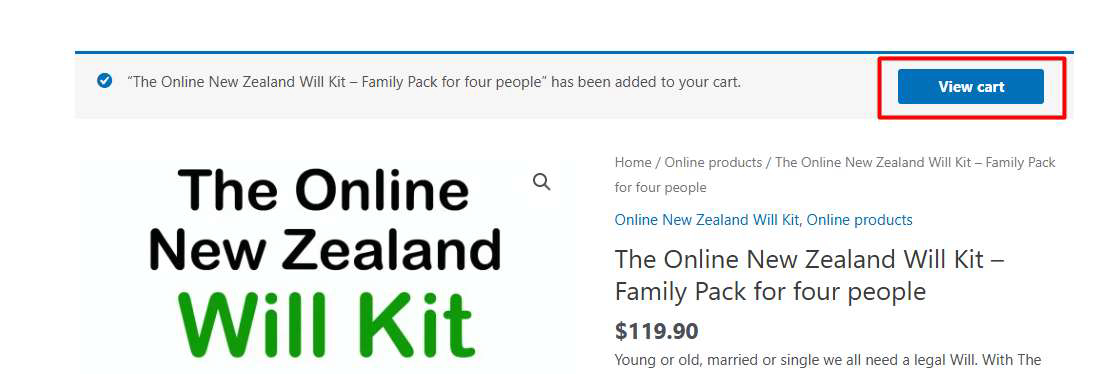
To proceed click “View cart”
You will arrive at the following page:
In the empty coupon code field, enter the Coupon/ Voucher code you received from GrabOne. Then click “Apply coupon”.
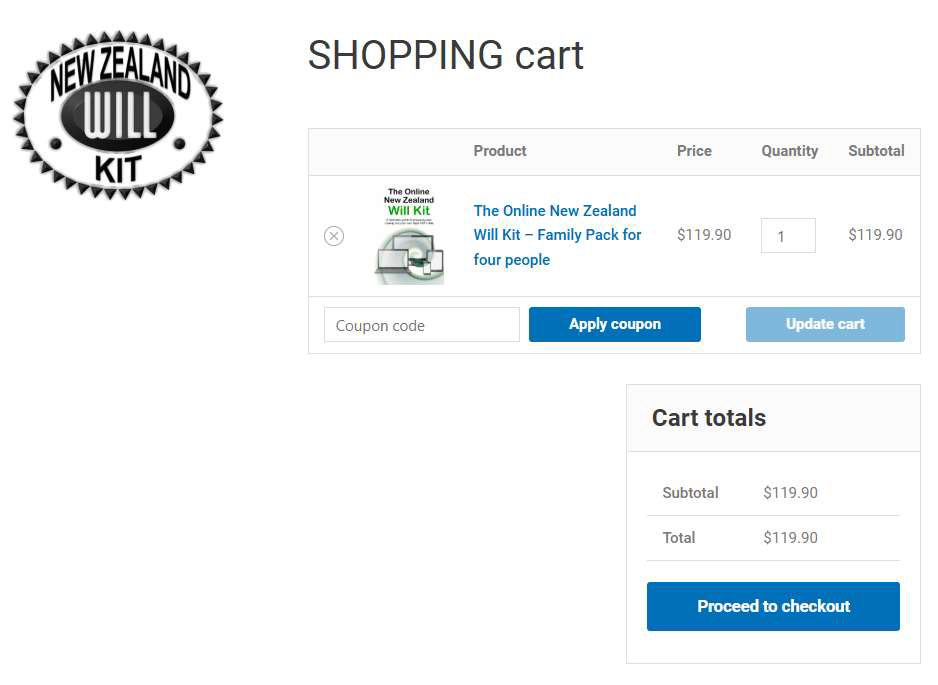
Enter your GrabOne coupon/voucher code here, then click on “Apply coupon”:
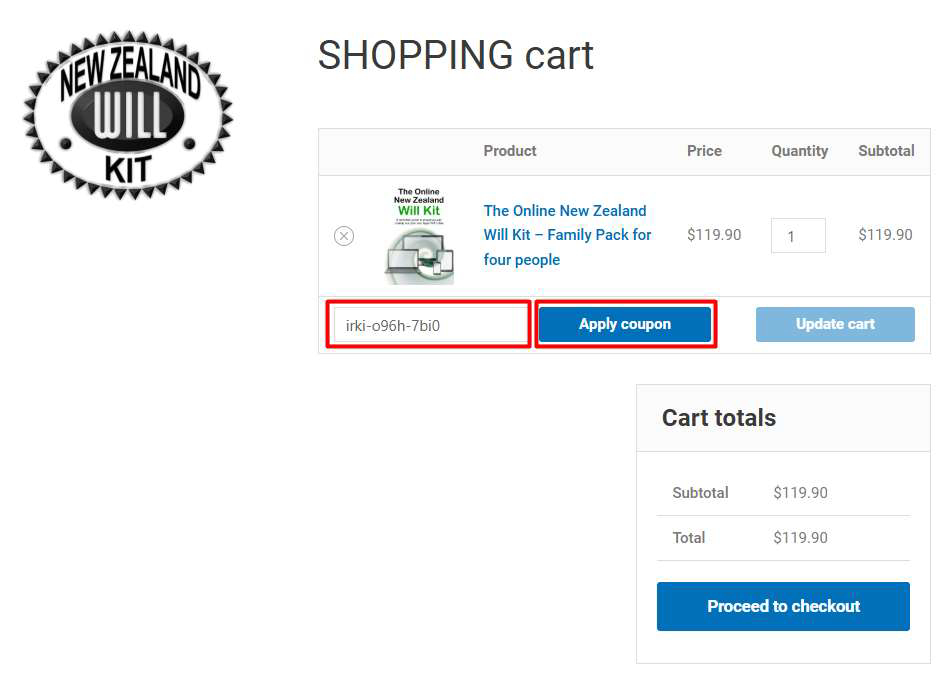
After you have clicked on apply coupon, you will see a message to say your coupon is applied. (see below).
The total cost in the cart will change to nil. Confirm your total is $0.00 then proceed to checkout.
Next click “Proceed to checkout”
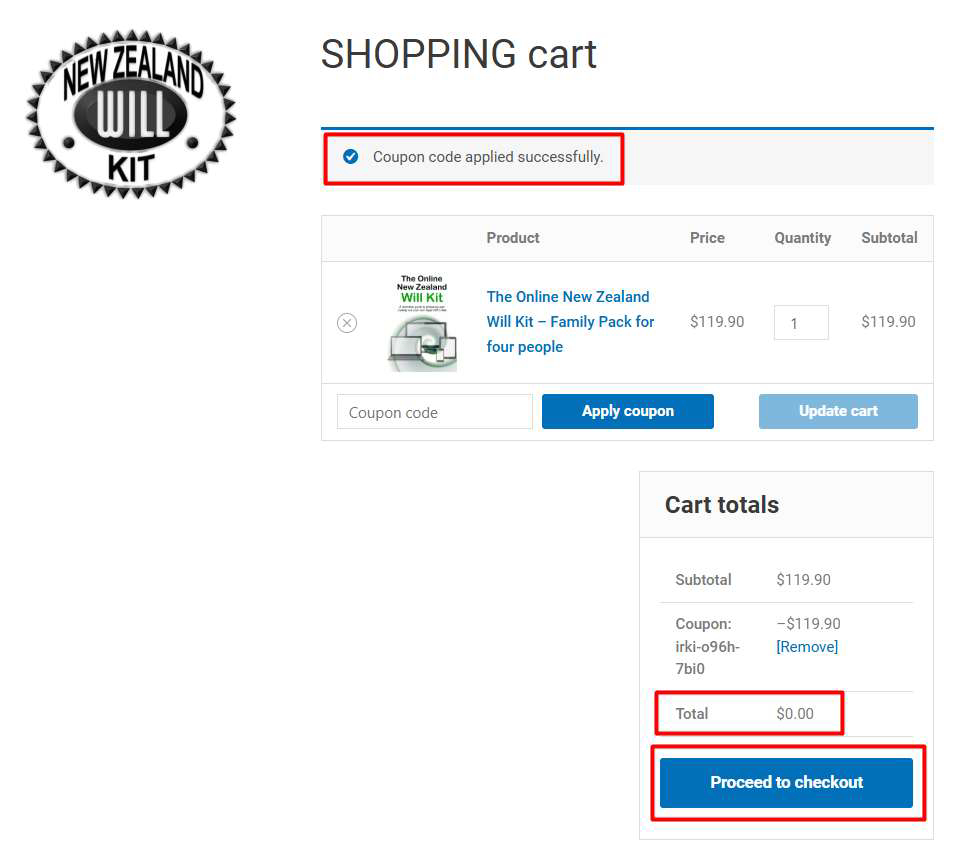
If you are a new customer to newzealandwillkit.legal, under billing details, enter your Name, Address and email details. Please enter your exact email address correctly. Your digital will form links are emailed to you and must be a valid email address.

Ensure you enter your email address perfectly.
You will notice your coupon code is still in the cart and your cost is nil. You have not provided any payment details and will not be charged again in the future. This is not a recurring subscription product.
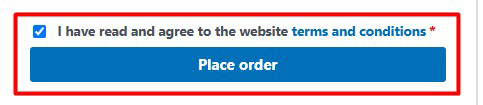
Confirm the Terms and conditions and tick the checkbox. Then click “Place order”.
Your screen will then show the following completed Checkout page displaying the various blue buttons (see below). These buttons will take you to the various links.
1. Access the Online Will form – x person. Use these buttons to reach the Will forms for each person. There are four separate links for 4 different family members.
2. Access the Online New Zealand Will Kit – find the information and instructions.
3. Access the bonus forms.
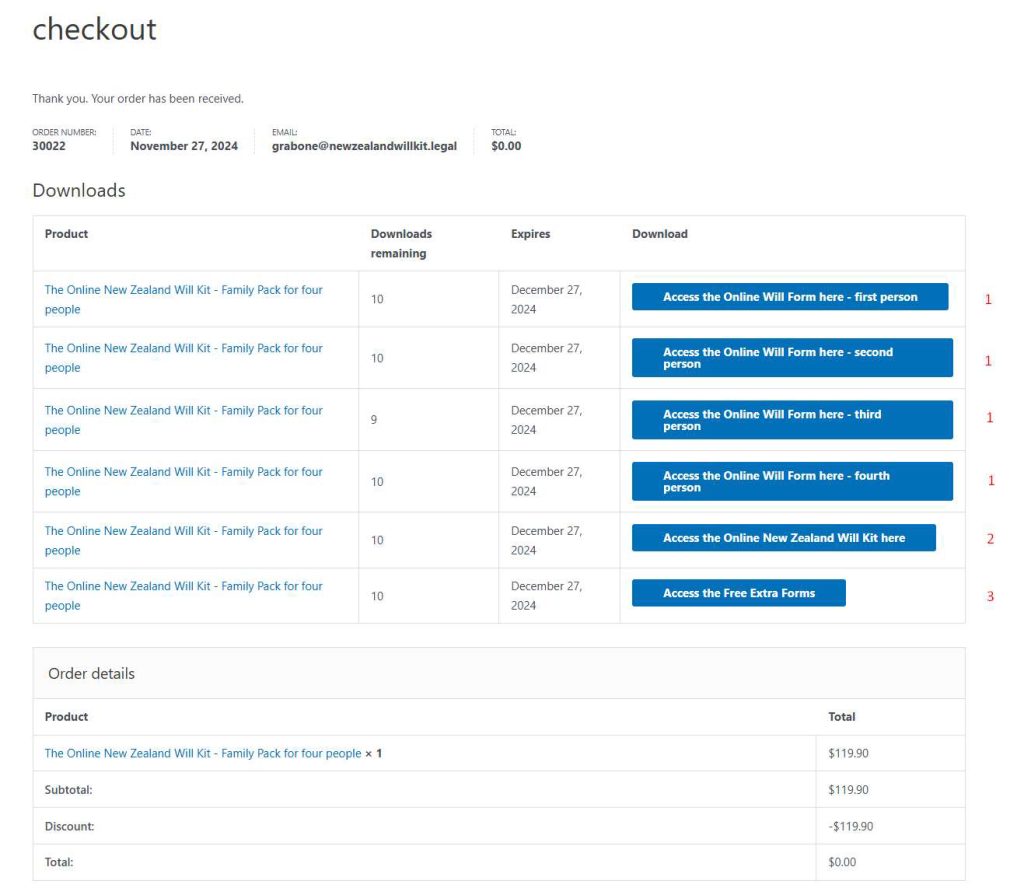
You can log in and out at anytime. Your details will be saved each time. Try not to lose your login details and always use a strong password.